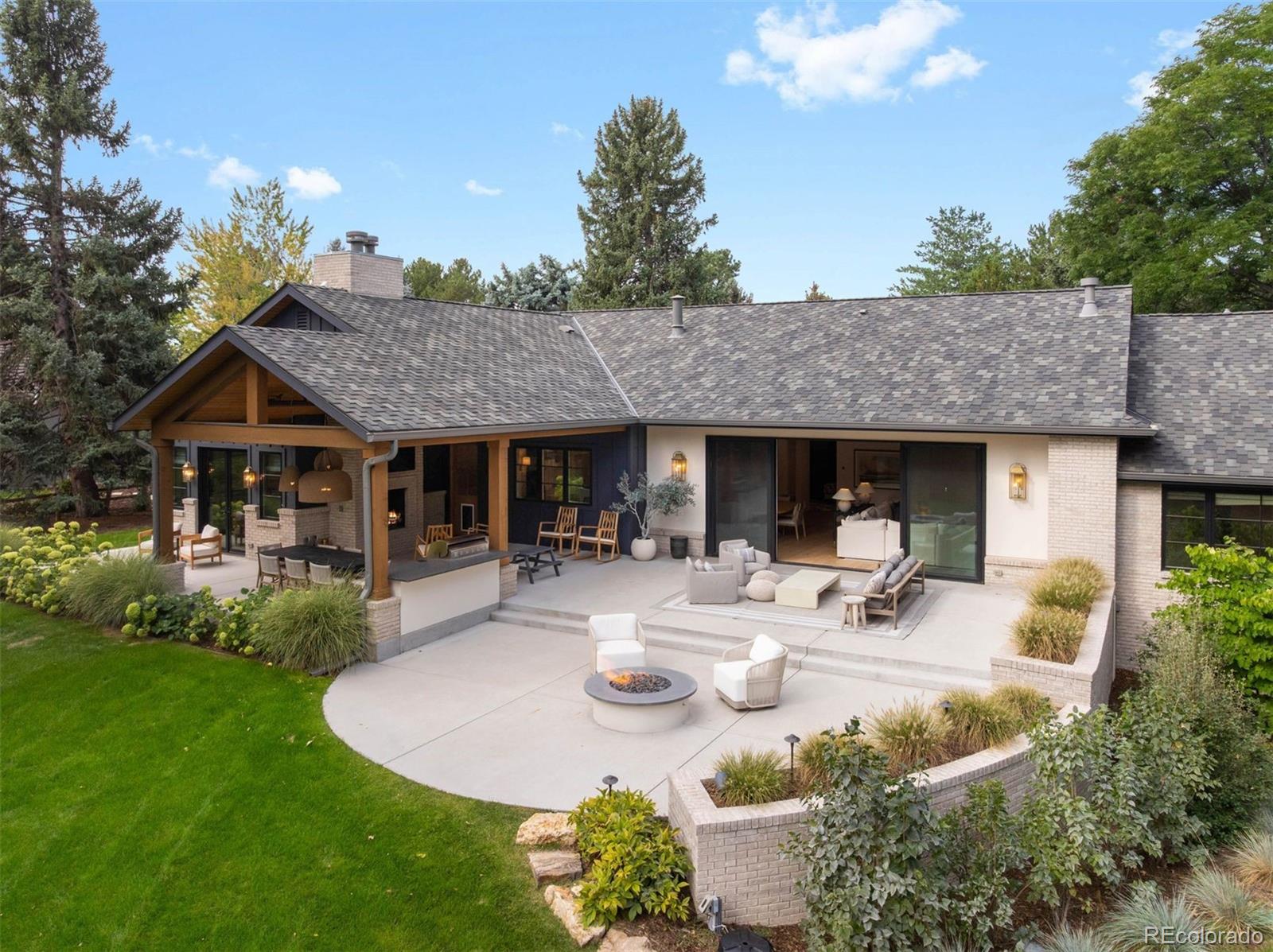
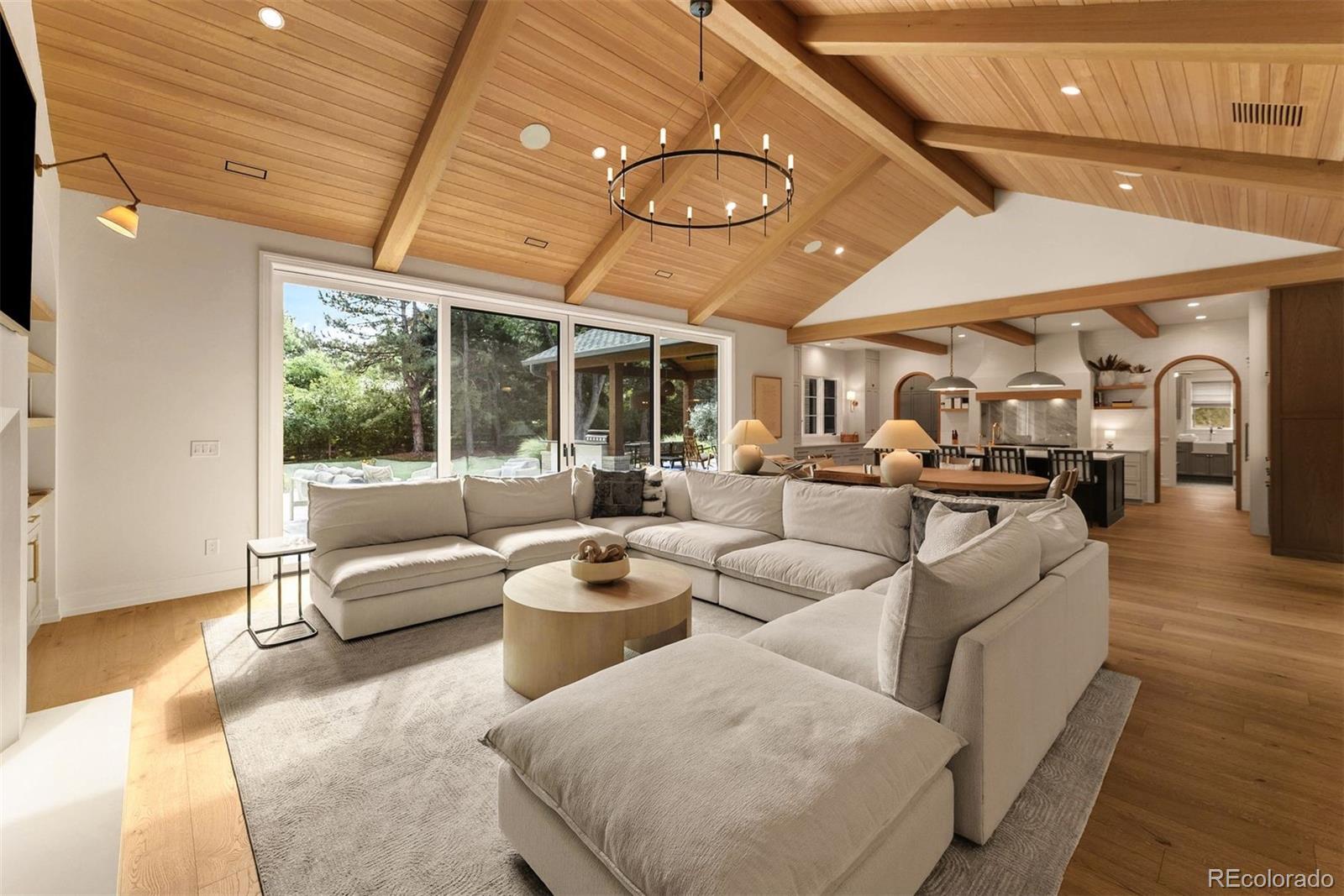
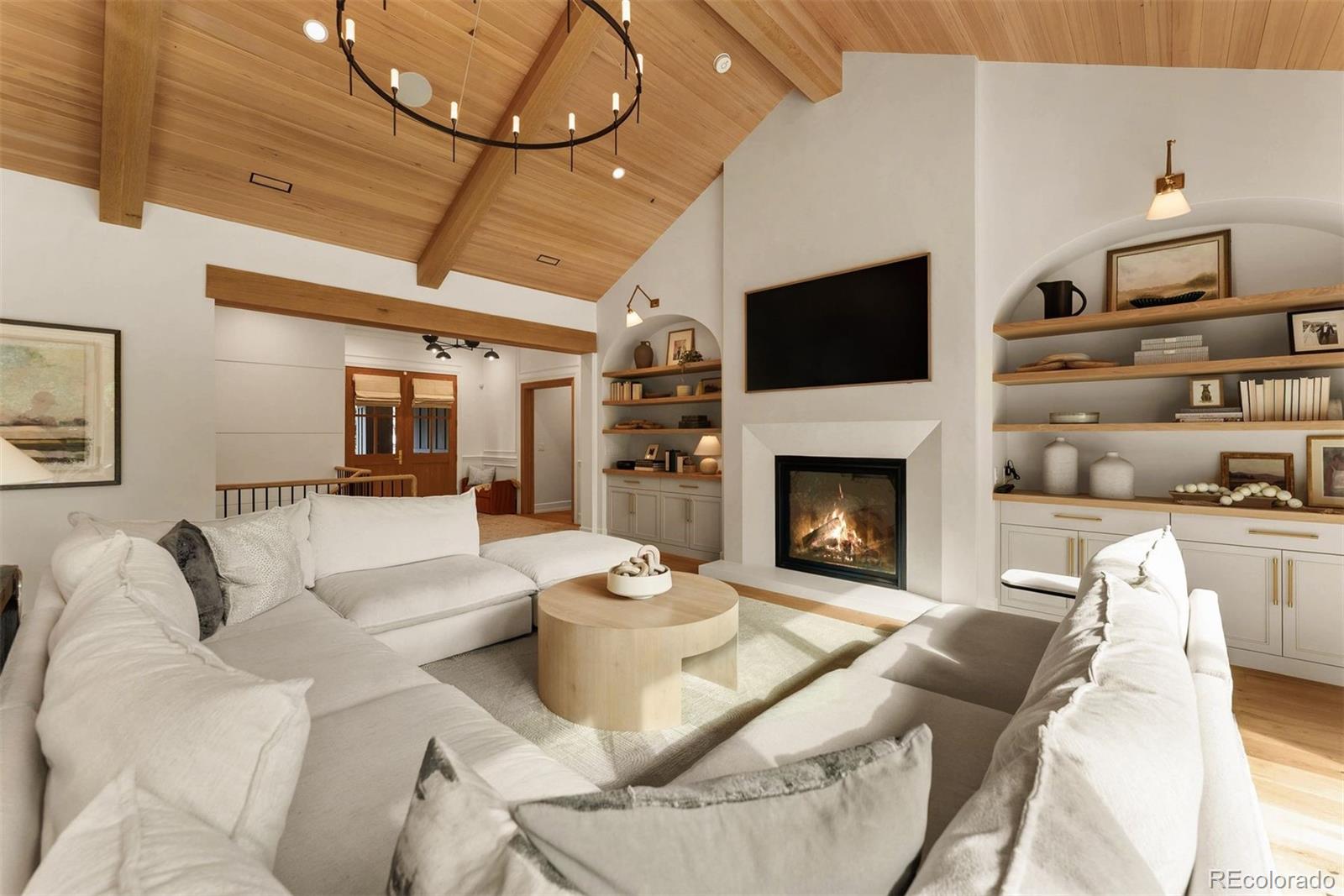
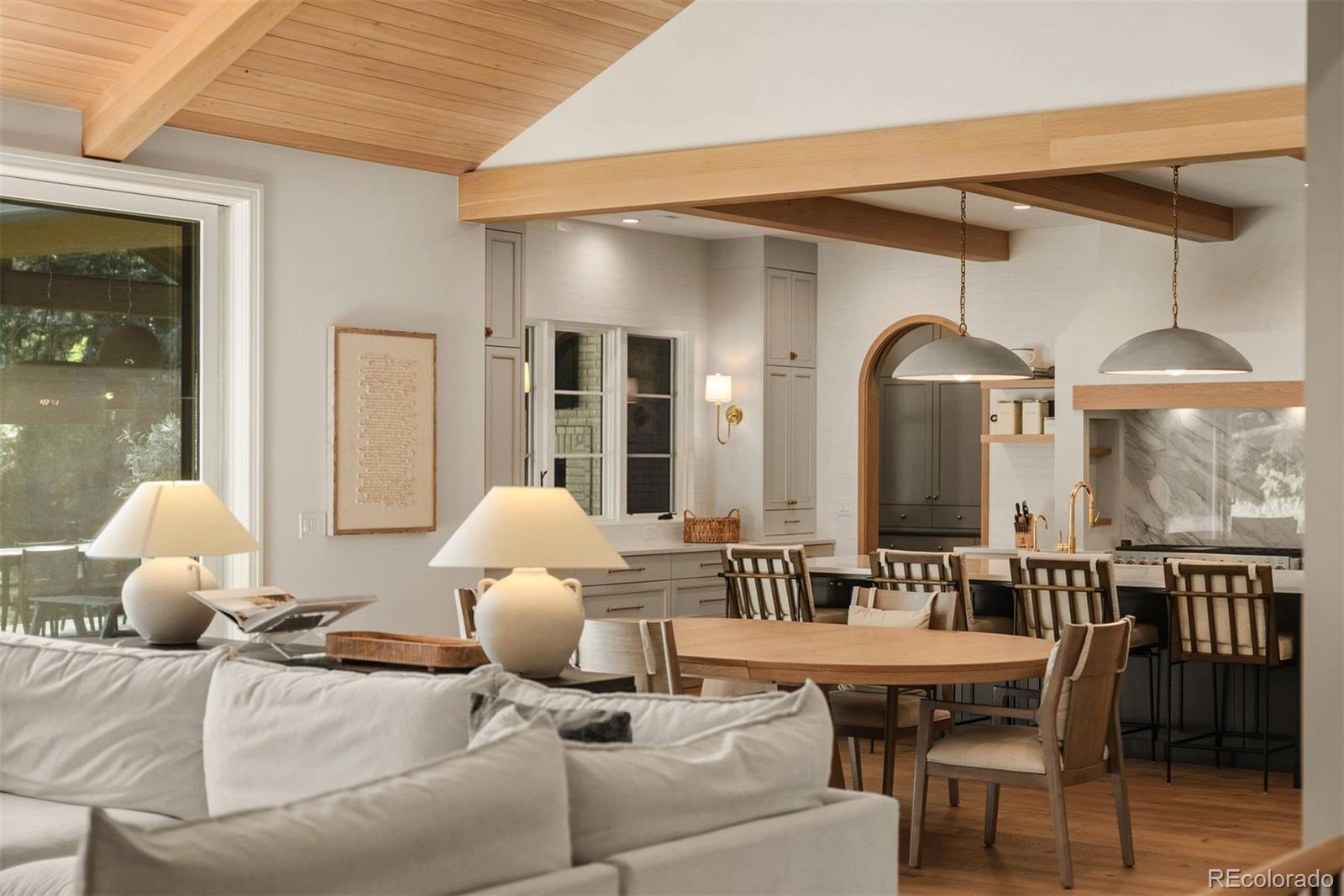
A one-of-a-kind residence, this exceptional Greenwood Highlands home is the result of an award-winning renovation completed in late 2023 by Gruber Custom Homes, with interiors by Kimberly Timmons Interiors. Reimagined with a focus on timeless design, craftsmanship, and effortless livability, the project earned national recognition, including The Nationals’ Best Interiors of a Custom Home. Set on a beautifully landscaped, nearly ¾-acre site within the highly regarded Cherry Creek Schools, the property offers architectural distinction and privacy. Inside, vaulted ceilings with white oak tongue-and-groove paneling, custom arches, and generously scaled rooms create warmth and character. The inviting living room, anchored by a substantial fireplace, opens through expansive sliding doors to the lawn, patios, and mature landscaping. A covered dining terrace, outdoor kitchen, covered fireplace, and separate fire pit extend the living experience. The award-winning kitchen is the heart of the home, centered around an oversized island and complemented by a separate scullery. Paneled appliances, a built-in Miele coffee maker, and integrated pet station all highlight its grace and functionality. Four main-floor bedrooms are connected by an airy corridor with vaulted ceilings. The serene primary suite features exposed wood beams and a spa-inspired bath with heated floors, dual vanities, a bidet toilet, and zero-entry steam shower. A dedicated office and separate library or playroom provide spaces to work or retreat, with the library opening to a charming loft. The lower level offers a recreation room with wet bar, family room, exercise room, and fifth bedroom with adjacent bath. Integrated audio, Control4, flush floor transitions, three-car garage with EV charging, and ample custom details reflect the thought invested throughout. Just steps from the High Line Canal, this singular property is where nationally recognized design meets the privacy and ease of Greenwood Highlands.
Save
Ask
Tour
Hide
Share
Listing Snapshot
Price
$3,995,000
Days On Site
17 Days
Bedrooms
5
Inside Area (SqFt)
5,907 sqft
Total Baths
6
Full Baths
2
Partial Baths
4
Lot Size
0.69 Acres
Year Built
1978
MLS® Number
7545811
Status
Active Under Contract
Property Tax
$20,904
HOA/Condo/Coop Fees
$166.67 monthly
Sq Ft Source
Appraiser
Friends & Family
React
Invite
Recent Activity
2 weeks ago
Listing updated with changes from the MLS®
2 weeks ago
Status changed to Active Under Contract
3 weeks ago
Listing first seen on site
General Features
Acres
0.69
Attached Garage
Yes
Direction Faces
West
Garage
Yes
Garage Spaces
3
Levels
One
Parking
Electric Vehicle Charging Station(s)Attached
Parking Spaces
3
Property Condition
Updated/Remodeled
Property Sub Type
Single Family Residence
Sewer
Public Sewer
SqFt Above
3896
SqFt Below
2011
SqFt Total
6651
Style
Contemporary
Utilities
Cable AvailableElectricity Available
Water Source
Public
Interior Features
Appliances
Bar FridgeDishwasherDisposalDouble OvenDryerFreezerMicrowaveOvenRangeRange HoodRefrigeratorWasher
Dimensions - 12 x 12Level - MainDescription - The primary bath pairs heated floors and separate vanities with a bidet toilet and a zero-entry steam shower clad in slab porcelain, plus an adjacent 11' x 8' walk-in closet
Bathroom Half
Level - MainDescription - Additional main floor powder bath
Bathroom Three Quarter
Level - MainDescription - En-suite 3/4 bath
Bedroom
Dimensions - 13 x 12Level - BasementDescription - A comfortable lower-level bedroom offers privacy near the three-quarter bath
Bonus Room
Dimensions - 48 x 21Level - BasementDescription - A generous recreation space with a wet bar provides an inviting setting for games and entertaining, plus an adjacent sitting area with illuminated built-ins
Dimensions - 24 x 11Level - MainDescription - An expansive island anchors the kitchen, where paneled appliances, a Miele coffee maker, concealed conveniences, and a dedicated pet station complement a butler’s pantry with direct access to the rear patio and outdoor kitchen
Laundry
Dimensions - 9 x 9Level - Main
Library
Dimensions - 20 x 9Level - MainDescription - Richly colored built-ins and a ladder to the loft give this flexible room a distinctive sense of character
Living Room
Dimensions - 31 x 21Level - MainDescription - Beneath a vaulted wood ceiling, the living room opens through expansive sliding doors to the patio, outdoor kitchen, dining area, and sprawling backyard
Loft
Level - MainDescription - Tucked above the playroom, the attic loft offers a charming retreat for reading and play
Mud Room
Dimensions - 11 x 6Level - MainDescription - Leads to spacious attached 3-car garage with EV charger
Office
Dimensions - 17 x 15Level - MainDescription - A refined workspace with a wood ceiling, custom built-ins, and arched architectural details
Utility Room
Dimensions - 30 x 20Level - BasementDescription - Storage
Save
Ask
Tour
Hide
Share
Exterior Features
Construction Details
BrickOtherStuccoVinyl SidingWood Siding
Exterior
Fire PitGas GrillLightingPrivate YardRain Gutters
Fencing
FencedFull
Lot Features
Cul-De-SacLandscapedLevelSprinklers In FrontSprinklers In Rear
Patio And Porch
CoveredFront PorchPatio
Roof
ConcreteOther
Community Features
Association Amenities
PoolTennis Court(s)
Association Fee
$2000.0
Association Fee Frequency
Annually
School District
Cherry Creek 5
Financing Terms Available
CashConventionalVA Loan
Roads
Paved
Schools
School District
Cherry Creek 5
Elementary School
Cherry Hills Village
Middle School
West
High School
Cherry Creek
Listing courtesy of LIV Sotheby's International Realty [email protected]
The content relating to real estate for sale in this Web site comes in part from the Internet Data eXchange ("IDX") program of METROLIST, INC., DBA RECOLORADO real estate listings held by brokers other than LIV Sotheby's International Realty are marked with the IDX Logo. This information is being provided for the consumers' personal, non-commercial use and may not be used for any other purpose. All information subject to change and should be independently verified.
Neighborhood & Commute
Source: Walkscore
Disclosure: Community information and market data powered by Constellation Data Labs. Information is deemed reliable but not guaranteed.
This mode enables people with epilepsy to use the website safely by eliminating the risk of seizures that result from flashing or blinking animations and risky color combinations.
Visually Impaired Mode
Improves website's visuals
This mode adjusts the website for the convenience of users with visual impairments such as Degrading Eyesight, Tunnel Vision, Cataract, Glaucoma, and others.
Cognitive Disability Mode
Helps to focus on specific content
This mode provides different assistive options to help users with cognitive impairments such as Dyslexia, Autism, CVA, and others, to focus on the essential elements of the website more easily.
ADHD Friendly Mode
Reduces distractions and improve focus
This mode helps users with ADHD and Neurodevelopmental disorders to read, browse, and focus on the main website elements more easily while significantly reducing distractions.
Blindness Mode
Allows using the site with your screen-reader
This mode configures the website to be compatible with screen-readers such as JAWS, NVDA, VoiceOver, and TalkBack. A screen-reader is software for blind users that is installed on a computer and smartphone, and websites must be compatible with it.
Online Dictionary
Readable Experience
Content Scaling
Default
Text Magnifier
Readable Font
Dyslexia Friendly
Highlight Titles
Highlight Links
Font Sizing
Default
Line Height
Default
Letter Spacing
Default
Left Aligned
Center Aligned
Right Aligned
Visually Pleasing Experience
Dark Contrast
Light Contrast
Monochrome
High Contrast
High Saturation
Low Saturation
Adjust Text Colors
Adjust Title Colors
Adjust Background Colors
Easy Orientation
Mute Sounds
Hide Images
Virtual Keyboard
Reading Guide
Stop Animations
Reading Mask
Highlight Hover
Highlight Focus
Big Black Cursor
Big White Cursor
Text to Speech
Navigation Keys
Accessibility Statement
barticgroup.com
October 5, 2026
Compliance status
We firmly believe that the internet should be available and accessible to anyone, and are committed to providing a website that is accessible to the widest possible audience,
regardless of circumstance and ability.
To fulfill this, we aim to adhere as strictly as possible to the World Wide Web Consortium’s (W3C) Web Content Accessibility Guidelines 2.1 (WCAG 2.1) at the AA level.
These guidelines explain how to make web content accessible to people with a wide array of disabilities. Complying with those guidelines helps us ensure that the website is accessible
to all people: blind people, people with motor impairments, visual impairment, cognitive disabilities, and more.
This website utilizes various technologies that are meant to make it as accessible as possible at all times. We utilize an accessibility interface that allows persons with specific
disabilities to adjust the website’s UI (user interface) and design it to their personal needs.
Additionally, the website utilizes an AI-based application that runs in the background and optimizes its accessibility level constantly. This application remediates the website’s HTML,
adapts Its functionality and behavior for screen-readers used by the blind users, and for keyboard functions used by individuals with motor impairments.
If you’ve found a malfunction or have ideas for improvement, we’ll be happy to hear from you. You can reach out to the website’s operators by using the following email [email protected]
Screen-reader and keyboard navigation
Our website implements the ARIA attributes (Accessible Rich Internet Applications) technique, alongside various different behavioral changes, to ensure blind users visiting with
screen-readers are able to read, comprehend, and enjoy the website’s functions. As soon as a user with a screen-reader enters your site, they immediately receive
a prompt to enter the Screen-Reader Profile so they can browse and operate your site effectively. Here’s how our website covers some of the most important screen-reader requirements,
alongside console screenshots of code examples:
Screen-reader optimization: we run a background process that learns the website’s components from top to bottom, to ensure ongoing compliance even when updating the website.
In this process, we provide screen-readers with meaningful data using the ARIA set of attributes. For example, we provide accurate form labels;
descriptions for actionable icons (social media icons, search icons, cart icons, etc.); validation guidance for form inputs; element roles such as buttons, menus, modal dialogues (popups),
and others. Additionally, the background process scans all of the website’s images and provides an accurate and meaningful image-object-recognition-based description as an ALT (alternate text) tag
for images that are not described. It will also extract texts that are embedded within the image, using an OCR (optical character recognition) technology.
To turn on screen-reader adjustments at any time, users need only to press the Alt+1 keyboard combination. Screen-reader users also get automatic announcements to turn the Screen-reader mode on
as soon as they enter the website.
These adjustments are compatible with all popular screen readers, including JAWS and NVDA.
Keyboard navigation optimization: The background process also adjusts the website’s HTML, and adds various behaviors using JavaScript code to make the website operable by the keyboard. This includes the ability to navigate the website using the Tab and Shift+Tab keys, operate dropdowns with the arrow keys, close them with Esc, trigger buttons and links using the Enter key, navigate between radio and checkbox elements using the arrow keys, and fill them in with the Spacebar or Enter key.Additionally, keyboard users will find quick-navigation and content-skip menus, available at any time by clicking Alt+1, or as the first elements of the site while navigating with the keyboard. The background process also handles triggered popups by moving the keyboard focus towards them as soon as they appear, and not allow the focus drift outside of it.
Users can also use shortcuts such as “M” (menus), “H” (headings), “F” (forms), “B” (buttons), and “G” (graphics) to jump to specific elements.
Disability profiles supported in our website
Epilepsy Safe Mode: this profile enables people with epilepsy to use the website safely by eliminating the risk of seizures that result from flashing or blinking animations and risky color combinations.
Visually Impaired Mode: this mode adjusts the website for the convenience of users with visual impairments such as Degrading Eyesight, Tunnel Vision, Cataract, Glaucoma, and others.
Cognitive Disability Mode: this mode provides different assistive options to help users with cognitive impairments such as Dyslexia, Autism, CVA, and others, to focus on the essential elements of the website more easily.
ADHD Friendly Mode: this mode helps users with ADHD and Neurodevelopmental disorders to read, browse, and focus on the main website elements more easily while significantly reducing distractions.
Blindness Mode: this mode configures the website to be compatible with screen-readers such as JAWS, NVDA, VoiceOver, and TalkBack. A screen-reader is software for blind users that is installed on a computer and smartphone, and websites must be compatible with it.
Keyboard Navigation Profile (Motor-Impaired): this profile enables motor-impaired persons to operate the website using the keyboard Tab, Shift+Tab, and the Enter keys. Users can also use shortcuts such as “M” (menus), “H” (headings), “F” (forms), “B” (buttons), and “G” (graphics) to jump to specific elements.
Additional UI, design, and readability adjustments
Font adjustments – users, can increase and decrease its size, change its family (type), adjust the spacing, alignment, line height, and more.
Color adjustments – users can select various color contrast profiles such as light, dark, inverted, and monochrome. Additionally, users can swap color schemes of titles, texts, and backgrounds, with over 7 different coloring options.
Animations – epileptic users can stop all running animations with the click of a button. Animations controlled by the interface include videos, GIFs, and CSS flashing transitions.
Content highlighting – users can choose to emphasize important elements such as links and titles. They can also choose to highlight focused or hovered elements only.
Audio muting – users with hearing devices may experience headaches or other issues due to automatic audio playing. This option lets users mute the entire website instantly.
Cognitive disorders – we utilize a search engine that is linked to Wikipedia and Wiktionary, allowing people with cognitive disorders to decipher meanings of phrases, initials, slang, and others.
Additional functions – we provide users the option to change cursor color and size, use a printing mode, enable a virtual keyboard, and many other functions.
Browser and assistive technology compatibility
We aim to support the widest array of browsers and assistive technologies as possible, so our users can choose the best fitting tools for them, with as few limitations as possible. Therefore, we have worked very hard to be able to support all major systems that comprise over 95% of the user market share including Google Chrome, Mozilla Firefox, Apple Safari, Opera and Microsoft Edge, JAWS and NVDA (screen readers), both for Windows and for MAC users.
Notes, comments, and feedback
Despite our very best efforts to allow anybody to adjust the website to their needs, there may still be pages or sections that are not fully accessible, are in the process of becoming accessible, or are lacking an adequate technological solution to make them accessible. Still, we are continually improving our accessibility, adding, updating and improving its options and features, and developing and adopting new technologies. All this is meant to reach the optimal level of accessibility, following technological advancements. For any assistance, please reach out to [email protected]